For VPN Setup on all Android devices.
Just watch the Video Tutorial below.
If Viewing on a Mobile device, switch to horizontal or scroll left to right.
Or Follow our step by step
guide below.
If Viewing on a Mobile device, switch to horizontal or scroll left to right.
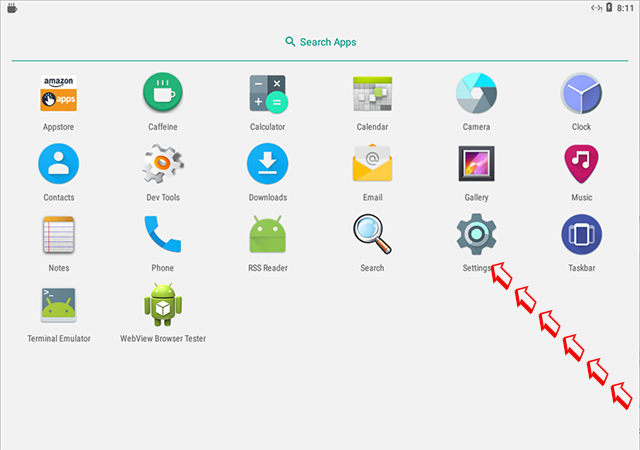
From your Home Screen or Apps Screen click on Settings
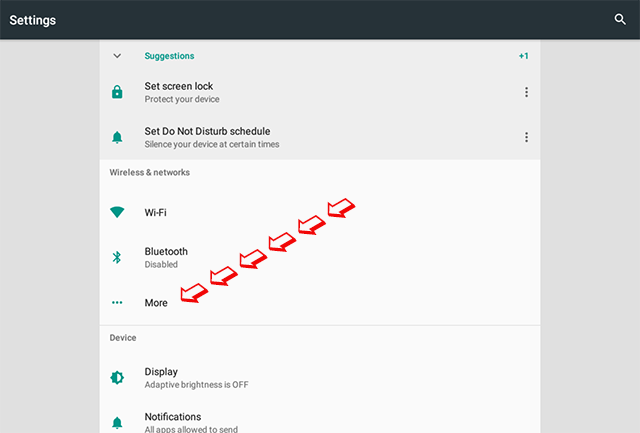
Under Wireless & networks, select More
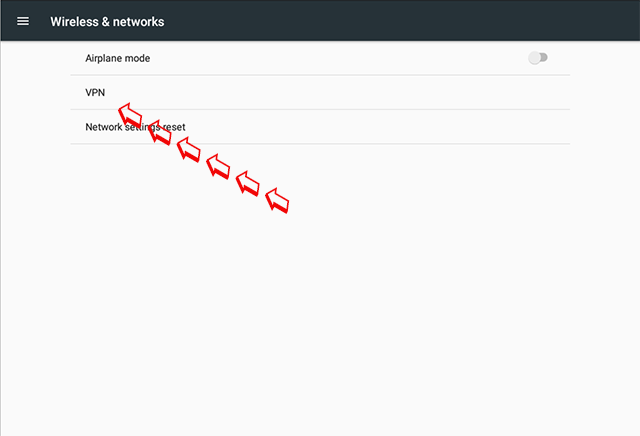
Now Select VPN
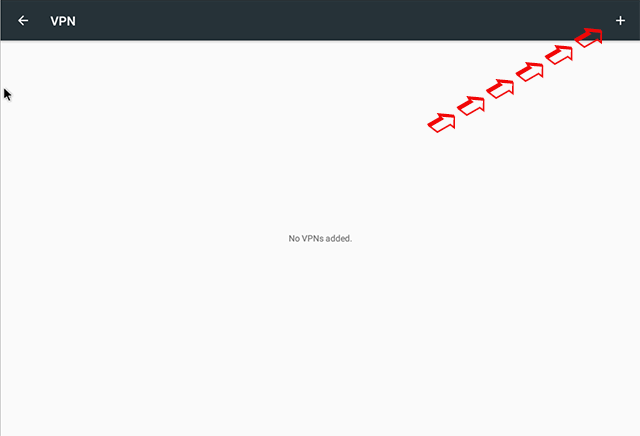
In the Top Right Hand Corner Click on the +
From the Drop Down Menu choose "L2TP/IPSec PSK
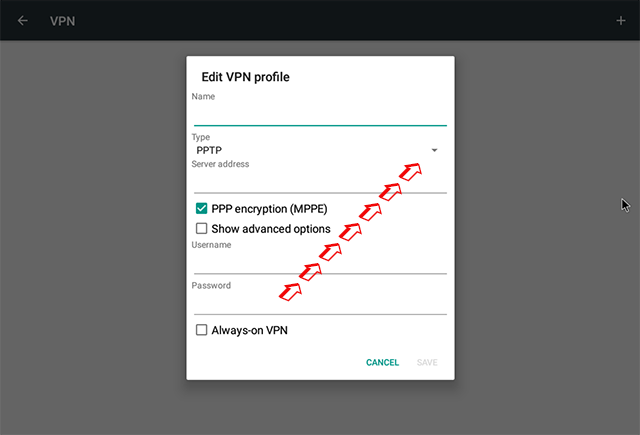
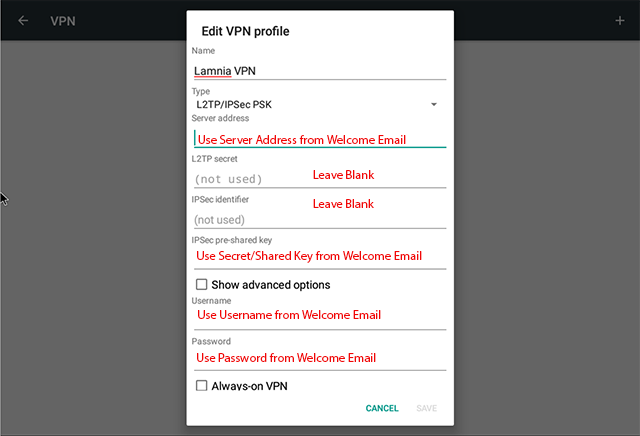
In the Name type in Lamnia VPN ( If adding multiple VPN connections describe accordingly )
Once you sign up we send you a Welcome Email,
within this you will find all the details you need:
List of Servers, Secret/Shared Key and Username & Password
TYPE IN CAREFULLY they are case sensitive
Once completed tap SAVE
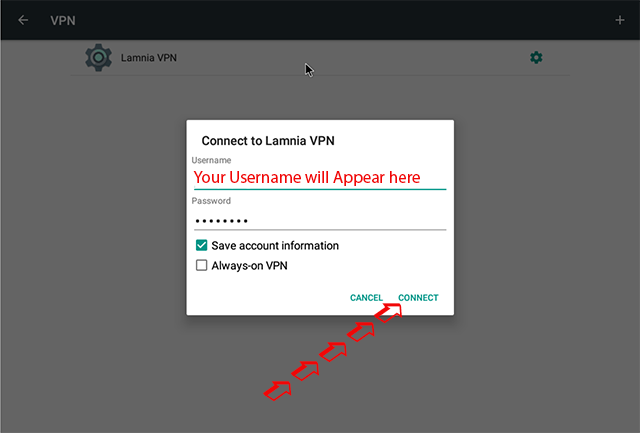
To Connect The VPN just select the VPN from the list.
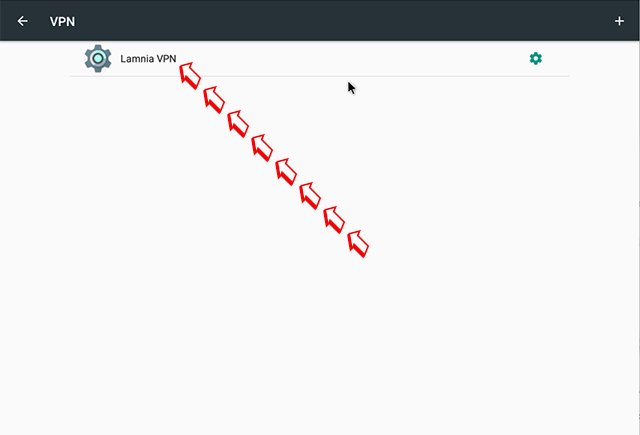
Your details will be already saved. You just need to tap Connect
You can choose the always on option here if you wish.